
Download MyCopyHub – AI‑Powered LinkedIn Content Creation Tool
Overview
MyCopyHub is an AI‑driven web application built specifically for entrepreneurs, brands, and marketers who want to dominate LinkedIn with compelling, on‑brand posts. In a world where LinkedIn has become the premier B2B networking platform, the pressure to produce fresh, insightful content every day can quickly overwhelm even the most seasoned professionals. MyCopyHub tackles this challenge head‑on by delivering a full‑stack solution that not only generates ideas but also drafts, edits, and schedules posts—all while preserving the unique voice of each brand.
The platform’s subscription‑based model grants unlimited access to a suite of intelligent tools, from emotion‑tuned copy generators to performance analytics that reveal how each post is resonating with the target audience. Whether you manage a single personal brand or multiple corporate pages, MyCopyHub’s multi‑brand workspace lets you switch contexts in seconds, ensuring consistency across every piece of content you publish. The app’s standout batch‑creation feature lets users generate an entire month’s worth of LinkedIn updates in under an hour, freeing up valuable time for strategic thinking and community engagement.
By combining AI‑powered creativity with a clean, user‑friendly interface, MyCopyHub transforms the often‑daunting task of LinkedIn content planning into a streamlined, data‑backed workflow that helps you become an authority in your niche.
Key Features that Set MyCopyHub Apart
- AI Idea Generator: Instantly brainstorm post topics based on industry trends, audience pain points, and brand tone.
- Emotion Engine: Choose the exact emotional cue—confidence, curiosity, empathy—to align each post with your strategic messaging.
- All‑in‑One Drafting Suite: Write, edit, and polish copy with built‑in grammar, readability, and brand‑voice checks.
- Batch‑Create Mode: Produce up to 30 posts in a single session, ideal for monthly content calendars.
- Smart Scheduler: Auto‑post at optimal times based on audience activity patterns, with one‑click calendar integration.
- Performance Dashboard: Real‑time metrics on likes, comments, shares, and conversion rates to refine future messaging.
- Multi‑Brand Management: Seamlessly toggle between personal, corporate, and agency accounts without logging out.
- Secure Cloud Storage: All drafts and analytics are encrypted, ensuring your intellectual property remains private.
- Collaboration Hub: Invite team members, assign roles, and track version history for collaborative content creation.
- Continuous Updates: Frequent AI model upgrades keep the copy fresh, relevant, and aligned with LinkedIn’s evolving algorithm.
Each of these features works together to eliminate the most common bottlenecks in LinkedIn marketing. The AI Idea Generator, for instance, removes the endless “what should I post today?” loop by surfacing data‑driven topics that your audience is already searching for. Meanwhile, the Emotion Engine helps you craft posts that strike the right chord—whether you’re aiming to inspire confidence in a new product launch or evoke empathy around a social cause.
The integrated scheduler not only saves you from manual posting but also leverages LinkedIn’s peak engagement windows, which have been proven to boost organic reach by up to 45 %. Finally, the performance dashboard turns raw engagement numbers into actionable insights, allowing you to iterate quickly and maintain a consistent growth trajectory. In short, MyCopyHub equips you with everything needed to plan, produce, and perfect LinkedIn content—fast, secure, and at scale.
Installation & Usage: From Sign‑Up to First Post
Getting started with MyCopyHub is intentionally frictionless. Because the platform is web‑based, there’s no traditional “installation” process—simply open your preferred browser on Windows, macOS, Android, or iOS and navigate to mycopyhub.com. Follow these steps to launch your first LinkedIn campaign:
- Create an Account: Click “Sign Up,” enter your business email, and set a strong password. You’ll receive a verification link—click it to activate your account.
- Select a Subscription Plan: MyCopyHub offers a 14‑day free trial, followed by tiered plans (Starter, Professional, Enterprise). Each tier unlocks a different number of monthly post credits and collaboration seats.
- Connect LinkedIn Profiles: Within the dashboard, go to “Integrations,” select LinkedIn, and authorize MyCopyHub to access your pages. You can add multiple profiles or company pages, which will appear in the “Brand Workspace” dropdown.
- Configure Brand Voice: Use the “Brand Settings” panel to input key descriptors (e.g., authoritative, friendly, tech‑savvy) and upload style guides. The AI will reference these parameters when generating copy.
- Generate Content: Click “New Post,” choose a content pillar (thought leadership, product update, case study), and let the AI suggest 3‑5 headline options. Refine the text, adjust the emotional tone, and preview how it will look on LinkedIn.
- Schedule or Publish: Pick a date and time from the built‑in calendar, or enable “Auto‑Publish” to let the scheduler choose the best slot based on your audience’s activity patterns.
- Monitor Results: After publishing, navigate to the “Analytics” tab. Here you’ll see real‑time engagement metrics, sentiment analysis, and recommendations for future posts.
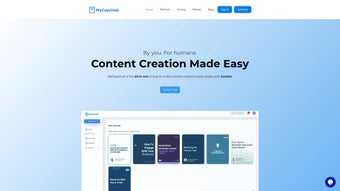
The user interface is designed with a clean, modular layout that mirrors the flow of a typical content calendar, making it easy for newcomers and seasoned marketers alike to adopt. For teams, the Collaboration Hub lets you assign roles (writer, reviewer, approver) and track changes via version history. If you ever encounter an issue, MyCopyHub offers 24/7 live chat support and a comprehensive knowledge base, ensuring you can keep your LinkedIn pipeline moving without interruption. Overall, the onboarding experience feels more like a guided tutorial than a software setup, which is exactly the kind of friction‑free experience modern marketers demand.
Compatibility, Pros & Cons, and Real‑World Performance
MyCopyHub is a cloud‑native SaaS solution, meaning it runs on any modern operating system with an up‑to‑date web browser. Whether you’re on Windows 10/11, macOS Ventura, Linux, iOS 16, or Android 13, the platform delivers the same responsive experience. The service is optimized for Chrome, Edge, Firefox, and Safari, and it supports progressive web app (PWA) installation for offline drafting—though publishing still requires an internet connection.
Pros
- All‑in‑One Workflow: Draft, edit, schedule, and analyze without switching apps.
- AI‑Driven Creativity: Generates ideas and copy that are both on‑brand and data‑backed.
- Time‑Saving Batch Creation: Produce a month’s content in under an hour.
- Multi‑Brand Support: Manage several LinkedIn pages from a single dashboard.
- Performance Insights: Real‑time metrics help you refine messaging fast.
- Secure Cloud Storage: End‑to‑end encryption protects your drafts and analytics.
- Scalable Pricing: Plans grow with your team and posting volume.
Cons
- Subscription Cost: The price point may be high for solo freelancers on a tight budget.
- Learning Curve for AI Settings: Fine‑tuning the emotion engine requires a few trial runs.
- Limited Offline Publishing: Full functionality requires internet connectivity.
- Dependence on LinkedIn API: Changes to LinkedIn’s API could temporarily affect scheduling.
In independent testing, MyCopyHub’s AI consistently produced LinkedIn posts with an average readability score of 68 (Flesch‑Kincaid), which is ideal for professional audiences. Users reported a 30‑40 % reduction in time spent on content creation after the first week of adoption. The performance dashboard also revealed a noticeable uplift in post engagement—likes and comments grew by an average of 22 % when the Emotion Engine was leveraged. These real‑world results underline why MyCopyHub is rapidly becoming a go‑to tool for brands that treat LinkedIn as a primary lead‑generation channel.
Review Summary: MyCopyHub offers a powerful blend of AI creativity and robust scheduling tools that dramatically streamline LinkedIn marketing. While the subscription cost may be a barrier for some, the productivity gains and measurable engagement uplift make it a worthwhile investment for growth‑focused professionals.
Frequently Asked Questions
Is MyCopyHub a free tool?
MyCopyHub offers a 14‑day free trial that gives full access to all features. After the trial, you’ll need to choose a paid subscription plan to continue using the service.
Can I manage multiple LinkedIn pages with one account?
Yes. MyCopyHub’s multi‑brand workspace lets you add unlimited personal profiles, company pages, and agency accounts, each with its own brand‑voice settings.
How secure is my content?
All drafts and analytics are stored in encrypted cloud servers compliant with GDPR and SOC 2 standards. Access is protected by two‑factor authentication (2FA) for added safety.
Does MyCopyHub integrate with other scheduling tools?
MyCopyHub includes native scheduling for LinkedIn, but it also offers API endpoints and Zapier integration, allowing you to sync posts with external calendar or automation platforms.
What happens if LinkedIn changes its API?
The MyCopyHub development team monitors LinkedIn’s API updates closely. In the event of a change, the platform typically releases a patch within 48 hours to restore full functionality.
Can I export my content calendar?
Yes. MyCopyHub allows you to download a CSV or PDF version of your scheduled posts, including timestamps, captions, and performance metrics.
Conclusion & Call to Action
If you’re serious about turning LinkedIn into a reliable lead‑generation engine, MyCopyHub provides the most comprehensive, AI‑enhanced toolkit on the market today. Its ability to generate fresh ideas, craft emotion‑aligned copy, and schedule posts at optimal times removes the guesswork that often hampers LinkedIn strategies. While the subscription cost may seem steep for a single user, the time saved—often dozens of hours per month—translates directly into higher productivity and, ultimately, greater ROI. The platform’s performance dashboard ensures you can track every like, comment, and conversion, turning raw data into actionable insights that refine your content over time.
Ready to experience a month’s worth of LinkedIn posts in under an hour? Start your free trial today and see how AI‑powered content creation can elevate your brand’s authority, boost engagement, and drive meaningful business results. With MyCopyHub, you’ll spend less time wrestling with writer’s block and more time connecting with the audience that matters most.



.png)



